

Introduction
I’ve recently blogged about Provisioning Windows Autopilot devices to get the encrypted with Bitlocker at the factory to speed up compliance. You can review those blog posts below:
- Encrypting devices during Windows Autopilot provisioning (WhiteGlove) – Part 1
- Encrypting devices during Windows Autopilot provisioning (WhiteGlove) – Part 2
- Encrypting devices during Windows Autopilot provisioning (WhiteGlove) – Part 3
In this post I’ll share a PowerShell script to allow you to set the group tag of 1 or multiple devices easily. This script is loosely based on the following script from . That was a great script but we wanted the ability to set different group tags on just one device or multiple, and not necessarily ALL devices.
This script will install the necessary modules and prompt you if you want to set the group tag on one or multiple devices. You can also use it to remove the group tag on one or multiple devices.
Below are some sample screenshots:
You’ll be guided through the operation, and output shown on screen to update you about what is happening
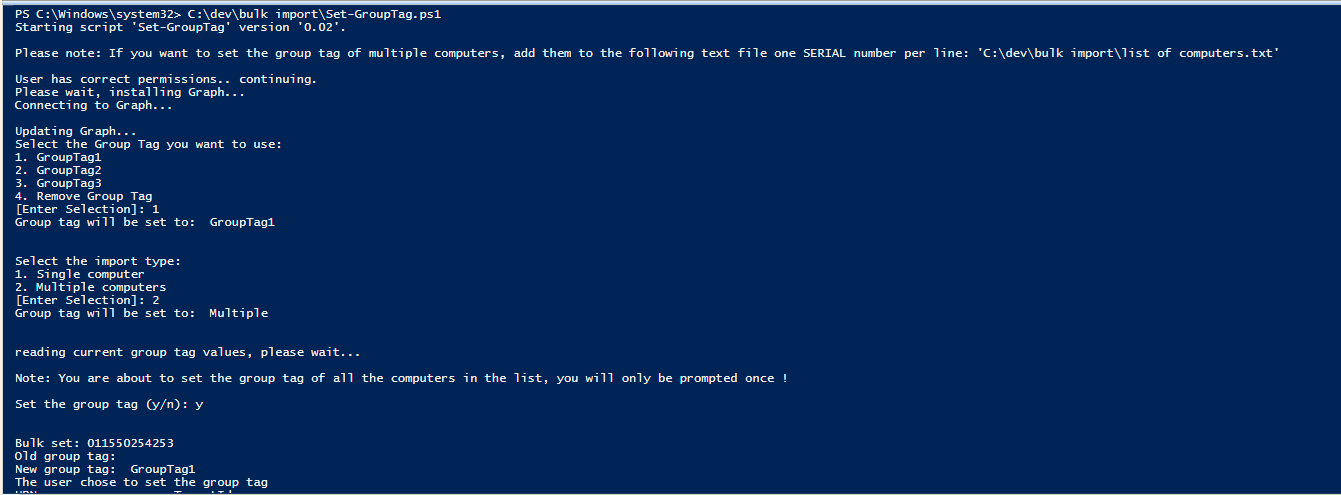
Bulk setting group tags…
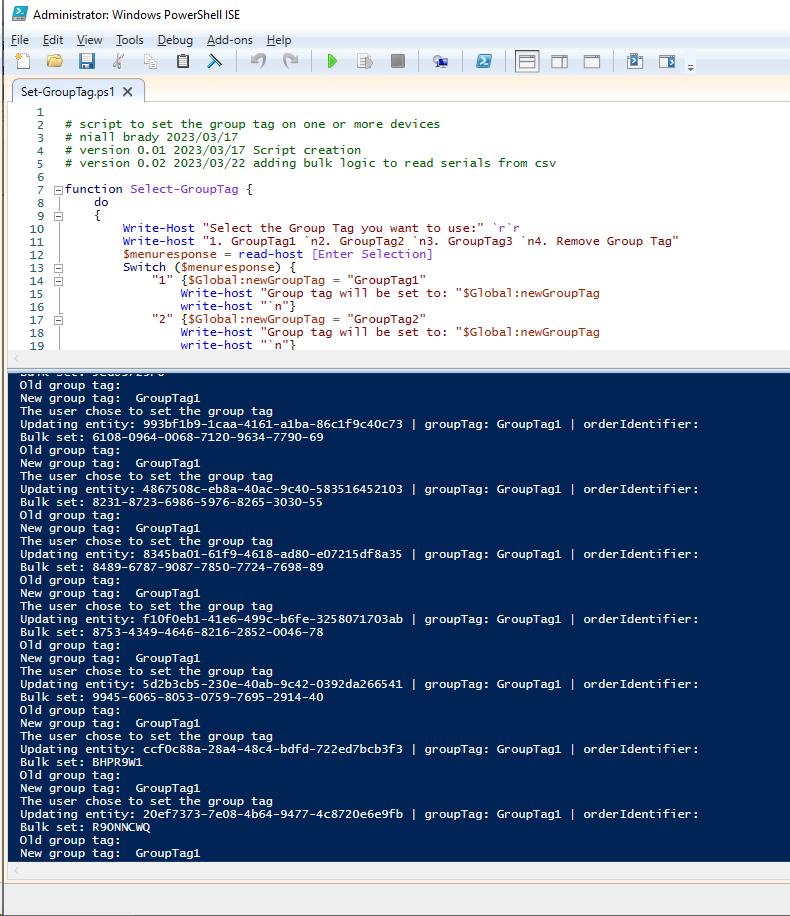
After running the script…
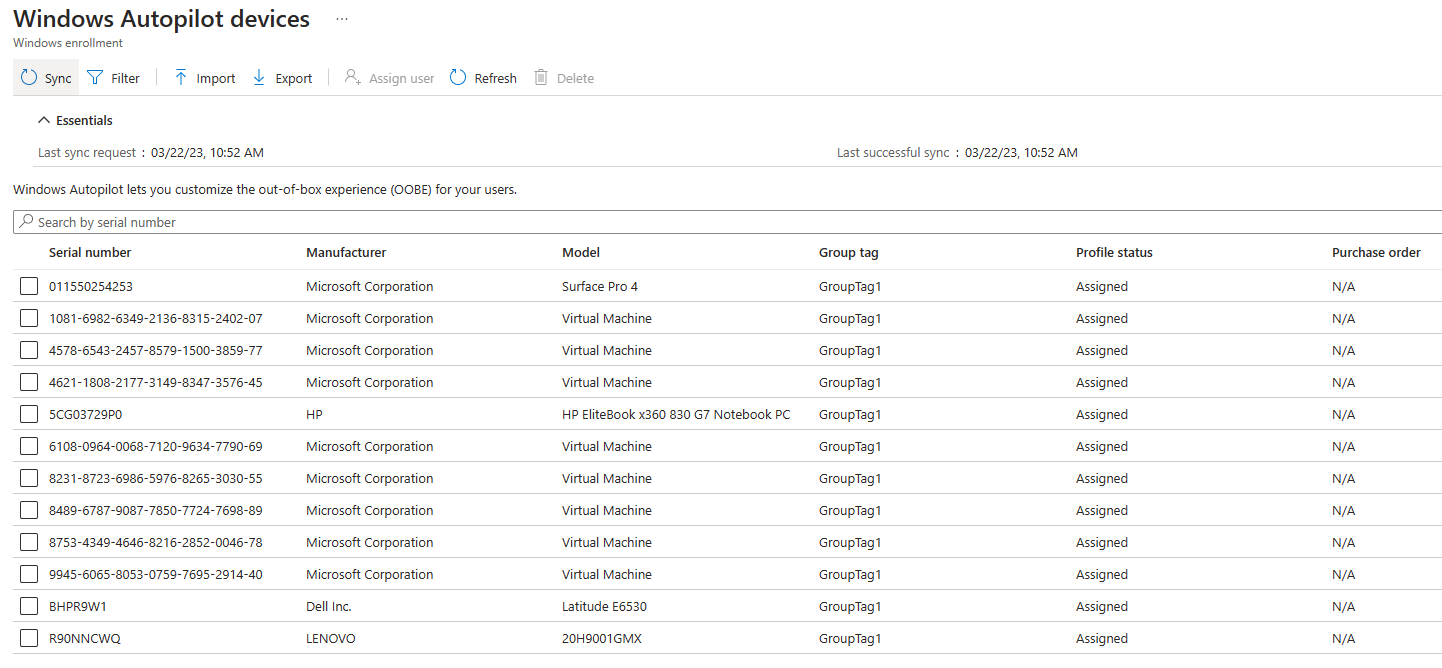
That’s it !
the list of computers needs each computer serial number one line at a time, like so:
011550254253
1081-6982-6349-2136-8315-2402-07
4578-6543-2457-8579-1500-3859-77
4621-1808-2177-3149-8347-3576-45
5CG03729P0
6108-0964-0068-7120-9634-7790-69
8231-8723-6986-5976-8265-3030-55
8489-6787-9087-7850-7724-7698-89
8753-4349-4646-8216-2852-0046-78
9945-6065-8053-0759-7695-2914-40
BHPR9W1
R90NNCWQ
here’s the script
# script to set the group tag on one or more devices
# niall brady 2023/03/17
# version 0.01 2023/03/17 Script creation
# version 0.02 2023/03/22 adding bulk logic to read serials from csv

function Select-GroupTag {
do
{
Write-Host "Select the Group Tag you want to use:" `r`r
Write-host "1. GroupTag1 `n2. GroupTag2 `n3. GroupTag3 `n4. Remove Group Tag"
$menuresponse = read-host [Enter Selection]
Switch ($menuresponse) {
"1" {$Global:newGroupTag = "GroupTag1"
Write-host "Group tag will be set to: "$Global:newGroupTag
write-host "`n"}
"2" {$Global:newGroupTag = "GroupTag2"
Write-host "Group tag will be set to: "$Global:newGroupTag
write-host "`n"}
"3" {$Global:newGroupTag = "GroupTag3"
Write-host "Group tag will be set to: "$Global:newGroupTag
write-host "`n"}
"4" {$Global:newGroupTag = ""
Write-host "Group tag will be set to: "$Global:newGroupTag
write-host "`n"}

}
}
until (1..4 -contains $menuresponse)
}

function Select-ImportType {
do
{
Write-Host "Select the import type:" `r`r
Write-host "1. Single computer `n2. Multiple computers"
$menuresponse = read-host [Enter Selection]
Switch ($menuresponse) {
"1" {$Global:ImportType = "Single"
Write-host "Group tag will be set to: "$Global:ImportType
write-host "`n"}
"2" {$Global:ImportType = "Multiple"
Write-host "Group tag will be set to: "$Global:ImportType
write-host "`n"}
}
}
until (1..2 -contains $menuresponse)
}

function YesNo {
Do {
#[System.Console]::CursorTop = $Cursor
#Clear-Host
$Answer = Read-Host -Prompt 'Set the group tag (y/n)'
}
Until ($Answer -eq 'y' -or $Answer -eq 'n')
$Global:Answer = $Answer
}

function get-serial{$global:serialnumber= Read-Host -Prompt "Enter the serial number that you want to set the Group tag on..."
$global:serialnumber = $global:serialnumber.ToUpper()}

#########################################################################################################################################

$script = "Set-GroupTag"
$version = "0.02"
$importpath = "C:\dev\bulk import\list of computers.txt"
write-host "Starting script '$script' version '$version'."
write-host "`nPlease note: If you want to set the group tag of multiple computers, add them to the following text file one SERIAL number per line: '$importpath'`n"

if (([Security.Principal.WindowsPrincipal][Security.Principal.WindowsIdentity]::GetCurrent()).IsInRole([Security.Principal.WindowsBuiltInRole] 'Administrator')){
write-host "User has correct permissions.. continuing."}
else
{write-host "Please run this script as a user with local Administrator permissions."
break}

# script magic starts here
write-host "Please wait, installing Graph..."
Install-Module -name Microsoft.Graph.Intune -Scope AllUsers
#Connect-MgGraph -TenantId "yourTenant GUID"
write-host "Connecting to Graph..."
Connect-MSGraph
write-host "Updating Graph..."
Update-MSGraphEnvironment -SchemaVersion "Beta" -Quiet
Connect-MSGraph -Quiet
$selecteddevice = $null

Select-GroupTag
Select-ImportType
#write-host "'$Global:ImportType'"

write-host "reading current group tag values, please wait..."
# Get all autopilot devices (even if more than 1000)
$autopilotDevices = Invoke-MSGraphRequest -HttpMethod GET -Url "deviceManagement/windowsAutopilotDeviceIdentities" | Get-MSGraphAllPages


If ($Global:ImportType -eq "Single"){
# get specific device based on serial number
get-serial
#$global:serialnumber = "5CG1081VHY"
write-host "you entered: $global:serialnumber"
$selecteddevice = $autopilotDevices | Where-Object { $_.serialNumber -eq $global:serialnumber }
#$autopilotDevices.serialNumber | -Match $global:serialnumber
#write-host $selecteddevice

if ($selecteddevice){
$Global:oldGroupTag = $selecteddevice.groupTag
write-host "Old group tag: " $Global:oldGroupTag
write-host "New group tag: " $Global:newgroupTag
# final confirmation should we set it ?
YesNo
if ($global:answer -eq "y") {write-host "The user chose to set the group tag"
$autopilotDevice = $selecteddevice
$autopilotDevice.groupTag = $Global:newgroupTag
#$autopilotDevice.orderIdentifier = "ORDER1234" | updating orderidentifier is currently not supported

$requestBody=
@"
{
groupTag: `"$($autopilotDevice.groupTag)`",
}
"@
Write-Output "Updating entity: $($autopilotDevice.id) | groupTag: $($autopilotDevice.groupTag) | orderIdentifier: $($autopilotDevice.orderIdentifier)"
Invoke-MSGraphRequest -HttpMethod POST -Content $requestBody -Url "deviceManagement/windowsAutopilotDeviceIdentities/$($autopilotDevice.id)/UpdateDeviceProperties"
#}

# Invoke an autopilot service sync
Invoke-MSGraphRequest -HttpMethod POST -Url "deviceManagement/windowsAutopilotSettings/sync"


}
else
{write-host "The user chose to cancel setting the group tag"}

}
else {write-host "that serial number was not found in Windows Autopilot devices"}

}

If ($Global:ImportType -eq "Multiple"){

$ComputersArray = Get-Content $importpath
# final confirmation should we set it ?
write-host "`nNote: You are about to set the group tag of all the computers in the list, you will only be prompted once !`n"
YesNo
write-host "`n"
ForEach ($Computer in $ComputersArray) {
$global:serialnumber = $Computer
write-host "Bulk set: $global:serialnumber"


$selecteddevice = $autopilotDevices | Where-Object { $_.serialNumber -eq $global:serialnumber }
#$autopilotDevices.serialNumber | -Match $global:serialnumber
#write-host $selecteddevice

if ($selecteddevice){
$Global:oldGroupTag = $selecteddevice.groupTag
write-host "Old group tag: " $Global:oldGroupTag
write-host "New group tag: " $Global:newgroupTag

if ($global:answer -eq "y") {write-host "The user chose to set the group tag"
$autopilotDevice = $selecteddevice
$autopilotDevice.groupTag = $Global:newgroupTag
#$autopilotDevice.orderIdentifier = "ORDER1234" | updating orderidentifier is currently not supported

$requestBody=
@"
{
groupTag: `"$($autopilotDevice.groupTag)`",
}
"@
Write-Output "Updating entity: $($autopilotDevice.id) | groupTag: $($autopilotDevice.groupTag) | orderIdentifier: $($autopilotDevice.orderIdentifier)"
Invoke-MSGraphRequest -HttpMethod POST -Content $requestBody -Url "deviceManagement/windowsAutopilotDeviceIdentities/$($autopilotDevice.id)/UpdateDeviceProperties"
#}


}
else
{write-host "The user chose to cancel setting the group tag"}

}
else {write-host "that serial number was not found in Windows Autopilot devices"}

}
# Invoke an autopilot service sync
Invoke-MSGraphRequest -HttpMethod POST -Url "deviceManagement/windowsAutopilotSettings/sync"
}

write-host "all done!, exiting script."
until next time, see you then
Update: you can download an updated version of this script (with logging) from Thiago’s Github here

Sorry, I’m a Powershell NOOB. Is it possible to automate a script that regularly checks all the autopilot devices and assigns a Group Tag to the device if that device doesn’t currently have one. The alternative would to receive an email if a device appears in autopilot without a group tag, so we are notified its there and can assign the group tag manually.
We use group tags to apply loads of standard config to Intune enrolled devices.
We frequently encounter the scenario where we buy a new laptop which is autopiloted by the manufacturer and it doesn’t appear on Intune until the day it arrives at the user. The user switches it on and start configuring it before we’ve assigned the group tag, so the device misses out on the config and we end up having to manually fix issues.